

<?xml version="1.0" encoding="UTF-8"?>
<rss version="2.0"
	xmlns:content="http://purl.org/rss/1.0/modules/content/"
	xmlns:wfw="http://wellformedweb.org/CommentAPI/"
	xmlns:dc="http://purl.org/dc/elements/1.1/"
	xmlns:atom="http://www.w3.org/2005/Atom"
	xmlns:sy="http://purl.org/rss/1.0/modules/syndication/"
	xmlns:slash="http://purl.org/rss/1.0/modules/slash/"
	>

<channel>
	<title>Free Data Recovery</title>
	<atom:link href="http://freedatarecovery.us/feed" rel="self" type="application/rss+xml" />
	<link>http://freedatarecovery.us</link>
	<description>Provider of Data Recovery Services via the Internet</description>
	<lastBuildDate>Tue, 28 May 2013 21:52:56 +0000</lastBuildDate>
	<language>en</language>
	<sy:updatePeriod>hourly</sy:updatePeriod>
	<sy:updateFrequency>1</sy:updateFrequency>
	<generator>http://wordpress.org/?v=3.0.1</generator>
<image>
  <link>http://freedatarecovery.us</link>
  <url>http://freedatarecovery.us/wp-content/themes/Minimal/images/favicon.ico</url>
  <title>Free Data Recovery</title>
</image>
		<item>
		<title>Network Share Creator</title>
		<link>http://freedatarecovery.us/network-share-creator</link>
		<comments>http://freedatarecovery.us/network-share-creator#comments</comments>
		<pubDate>Thu, 09 May 2013 23:05:02 +0000</pubDate>
		<dc:creator>Stephen</dc:creator>
				<category><![CDATA[Do-It-Yourself]]></category>

		<guid isPermaLink="false">http://freedatarecovery.us/?p=431</guid>
		<description><![CDATA[Network Share Creator, authored by Stephen Haran, is a method of performing basic data recovery from the hard drive inside a non-working computer. Perhaps you have a computer that boots up into a Windows blue screen or is unusable due to a virus infection. You can use Network Share Creator to automatically create network shares [...]]]></description>
			<content:encoded><![CDATA[<p class="newfont">Network Share Creator, authored by <a href="http://www.linkedin.com/pub/stephen-haran/1/175/20" target="_blank"><span style="color: #0000ff;">Stephen Haran</span></a>, is a method of performing basic data recovery from the hard drive inside a non-working computer. Perhaps you have a computer that boots up into a Windows blue screen or is unusable due to a virus infection. You can use Network Share Creator to automatically create network shares of all the partitions on the non-working computer and recover the data over your local network.</p>
<p class="newfont">Traditionally you would extract the drive from the computer and slave it to another working computer for data recovery. But that&#8217;s not always convenient or possible. For example if you&#8217;re a provider of remote technical support and need to access the data on a client&#8217;s non-working computer, Network Share Creator may be a good quick solution for you.</p>
<p><strong><br />
</strong></p>
<h3><strong>How it works&#8230;</strong></h3>
<p><strong> </strong></p>
<p class="newfont">Network Share Creator basically automates the installation of a Samba file server that runs on top of the popular <a href="http://sysresccd.org" target="_blank"><span style="color: #0000ff;">SystemRescueCD</span></a> which is a Linux boot CD.  It&#8217;s all Linux based but please know that zero Linux knowledge is required to use Network Share Creator.</p>
<p class="newfont">Here are the instructions you need to get started. But first be aware that the hard drive you wish to share must be mechanically and electrically sound. If it is making unusual noises or if perhaps it was dropped or is otherwise damaged then do not use Network Share Creator.</p>
<p class="newfont"><strong>0. </strong>Usage of Network Share Creator is completely at your own risk. And in corporate settings may go against security policy. Get the approval of your network admin before proceeding.</p>
<p class="newfont">This program is distributed in the hope that it will be useful, but WITHOUT ANY WARRANTY expressed or implied, including the implied warranties of MERCHANTABILITY or FITNESS FOR A PARTICULAR PURPOSE.</p>
<p class="newfont"><strong>1. </strong>Download the iso image file to make a bootable SystemRescueCD. You can get it here&#8230;  <a href="http://www.sysresccd.org/Download" target="_blank"><span style="color: #0000ff;">http://www.sysresccd.org/Download</span></a></p>
<p class="newfont"><strong>2. </strong>Burn the iso to a blank CD. Or better create a bootable USB flash drive with LiLi. You can get LiLi here&#8230;  <a href="http://www.linuxliveusb.com" target="_blank"><span style="color: #0000ff;">http://www.linuxliveusb.com</span></a></p>
<p class="newfont"><strong>3. </strong>Boot the non-working computer with SystemRescueCD</p>
<p class="newfont"><strong>4. </strong>From the blue SystemRescueCD start menu press the down arrow on your keyboard to highlight menu item B) or C) and press enter</p>
<p class="newfont"><a href="http://freedatarecovery.us/wp-content/uploads/2013/05/CaptureExBC.png"><img class="aligncenter size-full wp-image-512" title="CaptureExBC" src="http://freedatarecovery.us/wp-content/uploads/2013/05/CaptureExBC.png" alt="" width="610" height="38" /></a></p>
<p class="newfont"><strong>5. </strong>On the next blue menu screen select menu item 1. and press the TAB key to edit boot options</p>
<p class="newfont"><a href="http://freedatarecovery.us/wp-content/uploads/2013/05/CaptureExMenu1.png"><img class="aligncenter size-full wp-image-514" title="CaptureExMenu1" src="http://freedatarecovery.us/wp-content/uploads/2013/05/CaptureExMenu1.png" alt="" width="581" height="25" /></a></p>
<p class="newfont"><strong>6. </strong>At the end of the boot options line add the string:     <span style="color: #ff0000;">ar_source=http://freedatarecovery.us/auto</span></p>
<p class="newfont"><strong>7. </strong>Here&#8217;s an example of the complete boot options line:<br />
<span style="color: #ff0000;">.linux rescue64 initrd=initram.igz ar_source=http://freedatarecovery.us/auto</span></p>
<p class="newfont"><span style="color: #ff0000;"><a href="http://freedatarecovery.us/wp-content/uploads/2013/05/CaptureExAR.png"><img class="aligncenter size-full wp-image-515" title="CaptureExAR" src="http://freedatarecovery.us/wp-content/uploads/2013/05/CaptureExAR.png" alt="" width="647" height="45" /></a><br />
</span></p>
<p class="newfont"><strong>8. </strong>Press enter</p>
<p class="newfont"><strong>9. </strong>The SystemRescueCD starts to boot up with the Network Share Creator option enabled</p>
<p class="newfont"><strong>10. </strong>Wait two minutes for the finish message to appear then view the Network Share Creator email report at  <a href="http://freedatarecovery.us.mailinator.com" target="_blank"><span style="color: #0000ff;">http://freedatarecovery.us.mailinator.com</span></a></p>
<p><strong><a href="http://freedatarecovery.us/wp-content/uploads/2013/05/CaptureEx6end.png"><img class="aligncenter size-full wp-image-517" title="CaptureEx6end" src="http://freedatarecovery.us/wp-content/uploads/2013/05/CaptureEx6end.png" alt="" width="713" height="135" /></a><br />
</strong></p>
<h3><strong>A real world example&#8230;</strong></h3>
<p><strong> </strong></p>
<p class="newfont">Below is an example of an email report created by Network Share Creator. The report contains various pieces of system information but none of it is of a personal nature. The important info is in the &#8220;&#8230;Share Connect Info&#8230;&#8221; section near the end. It contains the username, password, and sharepath.</p>
<p class="newfont">
<p><a href="http://freedatarecovery.us/wp-content/uploads/2013/05/CaptureEx1.png"><img class="aligncenter size-full wp-image-433" title="CaptureEx1" src="http://freedatarecovery.us/wp-content/uploads/2013/05/CaptureEx1.png" alt="" width="902" height="873" /></a><a href="http://freedatarecovery.us/wp-content/uploads/2013/05/CaptureEx2.png"><img class="aligncenter size-full wp-image-434" title="CaptureEx2" src="http://freedatarecovery.us/wp-content/uploads/2013/05/CaptureEx2.png" alt="" width="899" height="873" /></a><a href="http://freedatarecovery.us/wp-content/uploads/2013/05/CaptureEx3.png"><img class="aligncenter size-full wp-image-435" title="CaptureEx3" src="http://freedatarecovery.us/wp-content/uploads/2013/05/CaptureEx3.png" alt="" width="897" height="718" /></a><br />
<strong><br />
</strong></p>
<h3><strong>Accessing the shares&#8230;</strong></h3>
<p><strong> </strong></p>
<p class="newfont">Now using the provided username, password, and share path you can access the shares from another computer on the same local network. Here is how the shares appear under Windows Explorer. Note the shares are not named with drive letters. Linux does not know drive letters. So you will see the standard Linux partition naming convention sda1, sda2, etc. But to help you identify things the partition label is shown under the &#8220;Comments&#8221; column inside Windows Explorer. Also note the tmp share contains a text copy of the email generated by Network Share Creator.</p>
<p><a href="http://freedatarecovery.us/wp-content/uploads/2013/05/CaptureEx4.png"><img class="aligncenter size-full wp-image-449" title="CaptureEx4" src="http://freedatarecovery.us/wp-content/uploads/2013/05/CaptureEx4.png" alt="" width="867" height="215" /></a></p>
<h3><strong>Notes&#8230;</strong></h3>
<p class="newfont"><strong>1. </strong>The target computer must be connected to the Internet via a local lan using a network cable. No wireless.</p>
<p class="newfont"><strong>2. </strong>The local lan must be DHCP capable. (Most are.)</p>
<p class="newfont"><strong>3. </strong>For security the local lan must use private, non-routeable ip addressing. (Most do.)</p>
<p class="newfont"><strong>4. </strong>In the current version all network shares are created read-only.</p>
<p class="newfont"><strong>5. </strong>If there are multiple nic&#8217;s on the target computer you must use the primary, ie. first nic port.</p>
<p class="newfont"><strong>6. </strong>If this is something you use frequently it is possible to make a fully automated version with no boot option editing that sends mail directly to your email address.</p>
<p class="newfont"><strong>7. </strong>And if you like Network Share Creator you want to check out a sister product called SysInfoByMail&#8230;  <a href="http://www.SysInfoByMail.com" target="_blank"><span style="color: #0000ff;">http://www.SysInfoByMail.com</span></a></p>
<p class="newfont"><strong>8. </strong>Comments and questions are most welcome.</p>
<p><script>
  (function(i,s,o,g,r,a,m){i['GoogleAnalyticsObject']=r;i[r]=i[r]||function(){
  (i[r].q=i[r].q||[]).push(arguments)},i[r].l=1*new Date();a=s.createElement(o),
  m=s.getElementsByTagName(o)[0];a.async=1;a.src=g;m.parentNode.insertBefore(a,m)
  })(window,document,'script','//www.google-analytics.com/analytics.js','ga');</p>
<p>  ga('create', 'UA-40998433-1', 'freedatarecovery.us');
  ga('send', 'pageview');</p>
<p></script></p>
]]></content:encoded>
			<wfw:commentRss>http://freedatarecovery.us/network-share-creator/feed</wfw:commentRss>
		<slash:comments>0</slash:comments>
		</item>
		<item>
		<title>Data Recovery, Worldwide</title>
		<link>http://freedatarecovery.us/on-line-data-recovery-worldwide</link>
		<comments>http://freedatarecovery.us/on-line-data-recovery-worldwide#comments</comments>
		<pubDate>Thu, 13 Dec 2012 17:36:59 +0000</pubDate>
		<dc:creator>Stephen</dc:creator>
				<category><![CDATA[Data Recovery]]></category>

		<guid isPermaLink="false">http://freedatarecovery.us/?p=398</guid>
		<description><![CDATA[On-Line data recovery services performed remotely via the Internet. Fast and affordable.]]></description>
			<content:encoded><![CDATA[<p class="newfont">Since launching this on-line data recovery service almost two years ago I&#8217;ve had numerous clients contact me to work on their case. Most clients reside in the US but I&#8217;ve had many clients from around the globe as well. Performing data recovery, securely, over the Internet as I do provides an outstanding client value. And it does not matter if the client is down the street from my Boston office or half-way around the world I am able to provide the same level of high quality service to all of my clients.</p>
<p class="newfont">And as far as I know no one, not even the big expensive data recovery companies, offers a similar type of on-line data recovery service. That is to say no one else has developed a data recovery CD that uses free technologies and a built in secure remote connectivity feature to make it possible to recover data from problematic hard drives and failed RAID arrays remotely, anywhere in the world.</p>
<p class="newfont">And certainly no one else sets their fees on a donation basis!</p>
<p class="newfont">So if you are in need of a fast, affordable, high quality data recovery service that specializes in the remote recovery of desktop, laptop, and external USB drives plus NAS / RAID devices such as the WD ShareSpace, Buffalo Terastation, Seagate BlackArmor, Netgear Readynas, Lacie, Iomega, Synology, Thecus etc. then I invite you to contact me to discuss your case.</p>
<p class="newfont">-Stephen Haran</p>
]]></content:encoded>
			<wfw:commentRss>http://freedatarecovery.us/on-line-data-recovery-worldwide/feed</wfw:commentRss>
		<slash:comments>0</slash:comments>
		</item>
		<item>
		<title>On-Line RAID Data Recovery</title>
		<link>http://freedatarecovery.us/sharespace</link>
		<comments>http://freedatarecovery.us/sharespace#comments</comments>
		<pubDate>Sun, 09 Dec 2012 17:54:35 +0000</pubDate>
		<dc:creator>Stephen</dc:creator>
				<category><![CDATA[Data Recovery]]></category>

		<guid isPermaLink="false">http://freedatarecovery.us/?p=354</guid>
		<description><![CDATA[On-Line RAID data recovery that's fast and affordable.]]></description>
			<content:encoded><![CDATA[<p class="newfont">If your NAS storage server or other RAID data storage device has crashed and you are seeking data recovery services then you&#8217;ve come to the right place.</p>
<p class="newfont">My name is <a href="http://www.linkedin.com/pub/stephen-haran/1/175/20" target="_blank"><span style="color: #0000ff;">Stephen Haran</span></a> and I specialize in on-line NAS / RAID data recovery. Western Digital ShareSpace NAS boxes seem to be the most common recovery I perform these days and is the major reason clients from around the world find my site when searching for ShareSpace data recovery.  But I also recover data from Buffalo Terastation, Seagate BlackArmor, Netgear Readynas, Lacie, Iomega, Synology, Thecus etc, basically any NAS or RAID device is a good candidate for on-line data recovery.</p>
<p class="newfont">So if you need help I invite you to contact me by phone, email, or <a href="http://freedatarecovery.us/live-chat/chat.php"><span style="color: #0000ff;">on-line chat</span></a> to discuss your case and if it&#8217;s an urgent matter we can begin working to recover your data right away. And because I operate remotely there is no need to pack and ship out your NAS hard drives, so it&#8217;s possible to recover your data quickly sometimes in less than one day.</p>
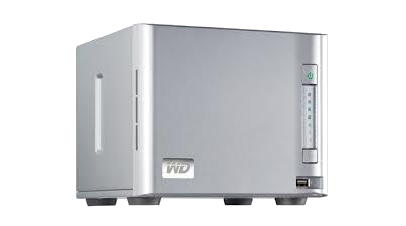
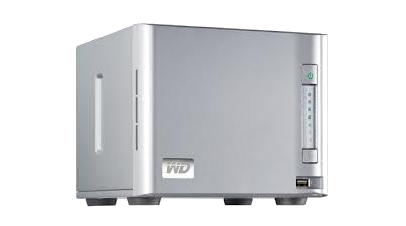
<p class="newfont">The ShareSpace, to give an example, is a four drive NAS box provisioned with either 2TB, 4TB, or 8TB of storage space. And internally a RAID5 DataVolume is created to hold user data. This configuration is typical of other vendors as well.  And these NAS devices all work well until one day they don&#8217;t.  With the ShareSpace typically you see the dreaded, “Volume ‘DataVolume’ doesn’t exist” error. Although there are other failure scenarios and error messages depending on the vendor.</p>
<p class="newfont">Fortunately recovery is often possible in these cases. If you browse through my <a href="http://freedatarecovery.us/comments"><span style="color: #0000ff;">client comments page</span></a> you will see that I have successfully performed remote data recovery operations on NAS boxes for clients located throughout the world.</p>
<p class="newfont">When you consider the high cost of any RAID or NAS recovery the remote recovery service I offer represents a significant value to my clients. Ask for a price quote from another data recovery service provider and you will see what I mean. Plus since all work is performed remotely over a secure Internet connection my service is much much faster.</p>
<p class="newfont">So if your ShareSpace or any other RAID or NAS storage device has crashed or is otherwise inoperable I&#8217;m here to help and I invite you to contact me by phone: <strong><span style="color: #0000ff;"><em>617 506 9392</em></span></strong>, email: <a href="mailto:Stephen@FreeDataRecovery.us"><span style="color: #0000ff;">Stephen@FreeDataRecovery.us</span></a>, or <a href="http://freedatarecovery.us/live-chat/chat.php"><span style="color: #0000ff;">on-line chat</span></a>.</p>
<p class="newfont">&#8211;Stephen Haran</p>
]]></content:encoded>
			<wfw:commentRss>http://freedatarecovery.us/sharespace/feed</wfw:commentRss>
		<slash:comments>0</slash:comments>
		</item>
		<item>
		<title>The FDR Story</title>
		<link>http://freedatarecovery.us/the-fdr-story</link>
		<comments>http://freedatarecovery.us/the-fdr-story#comments</comments>
		<pubDate>Sun, 05 Aug 2012 14:23:02 +0000</pubDate>
		<dc:creator>Stephen</dc:creator>
				<category><![CDATA[The FDR Story]]></category>

		<guid isPermaLink="false">http://freedatarecovery.us/?p=278</guid>
		<description><![CDATA[Some have asked about the history of FDR and how this service evolved. So here&#8217;s my story. After working many years as a Linux and Windows Systems Administrator I started a side business providing computer repair services to mainly residential clients in my local area. I have a shop front on a busy secondary road [...]]]></description>
			<content:encoded><![CDATA[<p class="newfont">Some have asked about the history of FDR and how this service evolved. So here&#8217;s my story.</p>
<p class="newfont">After working many years as a Linux and Windows Systems Administrator I started a side business providing computer repair services to mainly residential clients in my local area. I have a shop front on a busy secondary road and I run PCRescueMan.com from that location. I operate by appointment only and basically just use the shop to meet clients when they drop off their computers for repair. It&#8217;s convenient in that my house is located just a minute away behind the shop.</p>
<p class="newfont">Now historically as part of my day job as a Systems Administrator I was performing logical data recovery on the systems that I supported so when I started seeing computers in the shop with failing hard drives I naturally put my data recovery experience to work.</p>
<p class="newfont">Data recovery can often be a slow tedious process and it involves a lot of just waiting around so rather than hang out waiting in the shop I started performing data recovery jobs over the network from my house. I would boot the client&#8217;s computer in the shop with a standard Linux boot CD. Then set everything up so I could connect to the client&#8217;s computer from the house. This arrangement worked well and was preferable to me as it&#8217;s much more comfortable to be working from my office inside the house.</p>
<p class="newfont">So I performed data recovery jobs this way for quite some time until one day in the Spring of 2010 I was working another job and the idea popped into my head. What if the remote computer instead of being a stones throw away in my shop was actually much much further away in say another city like New York or even London. The data recovery methods I use should work anywhere in the world as long as there is a network connection. Sure I would need the person on the remote end to do some setup work but in theory it should be possible to perform remote data recovery this way.</p>
<p class="newfont">Excited at the possibilities I talked the idea over with others and was surprised at the level of negativity I heard back. Won&#8217;t the setup be way too complicated for a typical user? How would you get past firewalls? What happens when the network connection blinks and you lose connectivity? If your idea is so good then why aren&#8217;t the big data recovery shops doing it?  You&#8217;re going to do it for free and work off donations? It sounds too good to be true people are going to think it&#8217;s a scam. Good luck with getting donations no one is going to pay you.</p>
<p class="newfont">Undaunted I proceeded to develop my data recovery CD. Sure there would be issues to work out but in my mind the basic concept was sound. And the appeal and value of delivering data recovery services to clients anywhere in the world seemed worth pursuing. To make a long  story short after several months of development and testing my recovery CD was ready to launch into the wild and I started my service in January 2011.</p>
<p class="newfont">Since that time I&#8217;ve been able to recover data for many satisfied clients. And I&#8217;ve made additional enhancements to the mix of recovery software on my CD and improved my process to add new recovery capabilities.</p>
<p class="newfont">All of the the technical issues initially raised by my critics have been resolved. It&#8217;s true though that some do not donate but most do and donations commonly range from $100 to $500. The major challenge I&#8217;ve had is winning over the skeptics. That and spreading the word about my service.</p>
<p class="newfont">Clients often contact me in distress. And I find it personally very satisfying to be able to reunite them with their lost data. Not always is there a happy ending but it&#8217;s a beautiful thing when there is.</p>
<p class="newfont">Some clients have called me amazing, a genius. And it&#8217;s nice to hear that but really I&#8217;m not any of those things just someone that had a vision of what was possible and the perseverance to see it through. Most of the credit actually belongs to the Linux and Open Source Software community as only a fraction of the software on my recovery CD is self written.</p>
<p class="newfont">So that&#8217;s the story of FDR to date but the saga continues. It will be interesting to see what the future holds. I&#8217;ll leave you with my favorite quote authored by Calvin Coolidge.</p>
<p class="newfont">&#8220;Nothing in the world can take the place of persistence.  Talent will  not; nothing is more common than unsuccessful men with talent.  Genius  will not; unrewarded genius is almost a proverb.  Education will not;  the world is full of educated derelicts.  Persistence and determination  alone are omnipotent.&#8221;</p>
<p>-Stephen Haran</p>
]]></content:encoded>
			<wfw:commentRss>http://freedatarecovery.us/the-fdr-story/feed</wfw:commentRss>
		<slash:comments>1</slash:comments>
		</item>
		<item>
		<title>Trust</title>
		<link>http://freedatarecovery.us/trust</link>
		<comments>http://freedatarecovery.us/trust#comments</comments>
		<pubDate>Mon, 23 Jul 2012 16:40:20 +0000</pubDate>
		<dc:creator>Stephen</dc:creator>
				<category><![CDATA[Why Trust FDR?]]></category>

		<guid isPermaLink="false">http://freedatarecovery.us/?p=242</guid>
		<description><![CDATA[My service is similar to that of a plumber or an electrician who you invite into your home. You trust them to do their job and respect your property along the way. And you can insure they are doing this to a degree by keeping a watchful eye on them as they work. In my [...]]]></description>
			<content:encoded><![CDATA[<p class="newfont">My service is similar to that of a plumber or an electrician who you invite into your home. You trust them to do their job and respect your property along the way. And you can insure they are doing this to a degree by keeping a watchful eye on them as they work. In my case you are inviting a data recovery consultant to connect to your computer remotely but as I work to recover your data you won&#8217;t really see what I&#8217;m doing other than some flickering LEDs. So you need to place a level of trust in me. Trusting that I&#8217;ll do my job and no more.<br />
It&#8217;s difficult to establish trust over the Internet. There are many clever scammers out there. To help establish my credibility I ask you to take a look at my <a title="LinkedIn profile" href="http://www.linkedin.com/pub/stephen-haran/1/175/20"><span style="color: #0000ff;">LinkedIn profile</span></a> and then review the <a title="Comments" href="http://freedatarecovery.us/comments"><span style="color: #0000ff;">comments of clients</span></a> who have used my service in the past. And then if you are still unsure by all means give me a call and let me &#8220;interview&#8221; for the job. Hopefully I can earn your trust.</p>
<p class="newfont">And if you&#8217;re still not ready to take that leap of faith I offer a <a title="DIY" href="http://freedatarecovery.us/category/diy"><span style="color: #0000ff;">do-it-yourself</span></a> &#8220;coaching&#8221; service where I guide you through the process of recovering your data all by yourself. The coaching is all performed via a chat session. So it&#8217;s totally 100% secure since I have no access at all to your system.</p>
]]></content:encoded>
			<wfw:commentRss>http://freedatarecovery.us/trust/feed</wfw:commentRss>
		<slash:comments>0</slash:comments>
		</item>
		<item>
		<title>Do-It-Yourself Data Recovery</title>
		<link>http://freedatarecovery.us/do-it-yourself</link>
		<comments>http://freedatarecovery.us/do-it-yourself#comments</comments>
		<pubDate>Mon, 23 Jul 2012 16:02:36 +0000</pubDate>
		<dc:creator>Stephen</dc:creator>
				<category><![CDATA[Do-It-Yourself]]></category>
		<category><![CDATA[data recovery]]></category>
		<category><![CDATA[do-it-yourself data recovery]]></category>
		<category><![CDATA[free data recovery]]></category>

		<guid isPermaLink="false">http://freedatarecovery.us/?p=239</guid>
		<description><![CDATA[It&#8217;s possible to guide you through a do-it-yourself data recovery operation instead of using my remote data recovery service. That is to say you execute by hand all data recovery command operations but with my coaching. In this way you retain full control. And since there is no remote control of your computer using the [...]]]></description>
			<content:encoded><![CDATA[<p class="newfont">It&#8217;s possible to guide you through a do-it-yourself data recovery operation instead of using my remote data recovery service. That is to say you execute by hand all data recovery command operations but with my coaching. In this way you retain full control. And since there is no remote control of your computer using the do-it-yourself method is totally safe and secure.</p>
<p class="newfont">I&#8217;ll give you all the steps you need to take from start to finish. This will include the software to use (all free open source software) and the commands to execute along the way. We will communicate via email, chat, and/or voice. Now this is not the quickest or most efficient option but it is the most secure option. It will take a bit more effort on your end but it is certainly workable and a great learning experience. So if you are extra cautious and prefer to perform a do-it-yourself data recovery without giving anyone control of your computer then complete the steps below to create your data recovery environment then shoot me an email and I&#8217;ll reply with further instructions.</p>
<p class="newfont">Please note for any recovery attempt using software tools to be successful, at a minimum, your drive must be detected as present by your computer. For example, if you dropped your drive onto the floor and your computer no longer sees the drive then there is no software based data recovery solution that can help you.</p>
<h2 class="newfont"><strong>Creating the DIY data recovery environment<br />
</strong></h2>
<p class="newfont">First know that you will need two computers. Computer number one, the target computer, will act as a temporary data recovery workstation. It will have your failing hard drive connected to it. The second computer should be a standard Windows computer. We will use it as a communications console.  To set things up install the free software linked to below.</p>
<p class="newfont">On the computer you have selected to use as your communications console install PuTTY. You will use PuTTY to send commands to the target computer.<br />
<a href="http://putty.org/" target="_blank"><span style="color: #0000ff;">http://putty.org/</span></a></p>
<p class="newfont">(Optional) Also if needed install Greenshot. It&#8217;s a screen shot app.<br />
<a href="http://getgreenshot.org/" target="_blank"><span style="color: #0000ff;">http://getgreenshot.org/</span></a></p>
<p class="newfont">(Optional) And if you need a client for online chat install the Google Talk client.<br />
<a href="http://www.google.com/talk/" target="_blank"><span style="color: #0000ff;">http://google.com/talk/</span></a></p>
<p class="newfont">All data recovery commands are executed from the Linux command line so to get you familiar read up on Linux command line basics.<br />
<a href="http://code.google.com/edu/tools101/linux/basics.html" target="_blank"><span style="color: #0000ff;">http://code.google.com/edu/tools101/linux/basics.html</span></a></p>
<p class="newfont">Congratulations! You have just created your DIY data recovery environment and gained a little bit of Linux knowledge. Contact me for additional info and to arrange a time for us to begin the data recovery process.</p>
]]></content:encoded>
			<wfw:commentRss>http://freedatarecovery.us/do-it-yourself/feed</wfw:commentRss>
		<slash:comments>0</slash:comments>
		</item>
		<item>
		<title>Contact Information&#8230;</title>
		<link>http://freedatarecovery.us/contact-information</link>
		<comments>http://freedatarecovery.us/contact-information#comments</comments>
		<pubDate>Sat, 15 Jan 2011 04:30:08 +0000</pubDate>
		<dc:creator>Stephen</dc:creator>
				<category><![CDATA[Contact Info]]></category>

		<guid isPermaLink="false">http://freedatarecovery.us/?p=181</guid>
		<description><![CDATA[E-mail is the preferred method for communications. Please e-mail Stephen at the address:   Stephen@FreeDataRecovery.us Or you may call:   617 506 9392]]></description>
			<content:encoded><![CDATA[<p class="newfont">E-mail is the preferred method for communications.</p>
<p></p>
<p class="newfont">Please e-mail Stephen at the address:   <a href="mailto:Stephen@FreeDataRecovery.us"><span style="color: #0000ff;">Stephen@FreeDataRecovery.us</span></a></p>
<p></p>
<p class="newfont">Or you may call:   617 506 9392</p>
]]></content:encoded>
			<wfw:commentRss>http://freedatarecovery.us/contact-information/feed</wfw:commentRss>
		<slash:comments>0</slash:comments>
		</item>
		<item>
		<title>A Revolutionary Approach</title>
		<link>http://freedatarecovery.us/setup-is-easy-2</link>
		<comments>http://freedatarecovery.us/setup-is-easy-2#comments</comments>
		<pubDate>Thu, 06 Jan 2011 17:46:27 +0000</pubDate>
		<dc:creator>Stephen</dc:creator>
				<category><![CDATA[The FDR Story]]></category>
		<category><![CDATA[bad sector recovery]]></category>
		<category><![CDATA[data recovery]]></category>
		<category><![CDATA[free data recovery]]></category>
		<category><![CDATA[remote data recovery]]></category>

		<guid isPermaLink="false">http://freedatarecovery.us/?p=121</guid>
		<description><![CDATA[Welcome, my name is Stephen and I&#8217;ve put up this site to begin the roll out of a truly unique remote data recovery service that I think has the potential to revolutionize the field of hard drive data recovery. No. This is not your typical remote desktop operation. You do not need a working installation [...]]]></description>
			<content:encoded><![CDATA[<p class="newfont">Welcome, my name is Stephen and I&#8217;ve put up this site to begin the roll out  of  a truly unique remote data recovery service that I think has the potential to revolutionize the field of hard drive data recovery. No. This is not your typical remote desktop operation. You do not need a working installation of Microsoft Windows XP, Vista, etc.  Briefly stated, the method I use for remote data recovery centers around a highly customized Linux boot CD that contains several powerful data recovery software tools.</p>
<p class="newfont">I&#8217;ve termed this a revolutionary approach because as far as I know no one, not even the big expensive data recovery companies, offers a similar type of remote data recovery service. That is to say no one else has developed a boot CD like this. A boot CD that uses free technologies and a built in remote connectivity feature that has the ability to recover data from problematic hard drives remotely over the Internet anywhere in the world.</p>
<p class="newfont">And certainly no one else offers to do it for free!</p>
]]></content:encoded>
			<wfw:commentRss>http://freedatarecovery.us/setup-is-easy-2/feed</wfw:commentRss>
		<slash:comments>0</slash:comments>
		</item>
		<item>
		<title>Client Comments</title>
		<link>http://freedatarecovery.us/comments</link>
		<comments>http://freedatarecovery.us/comments#comments</comments>
		<pubDate>Thu, 06 Jan 2011 00:43:38 +0000</pubDate>
		<dc:creator>Stephen</dc:creator>
				<category><![CDATA[Client Comments]]></category>
		<category><![CDATA[bad sector recovery]]></category>
		<category><![CDATA[data recovery]]></category>
		<category><![CDATA[free data recovery]]></category>
		<category><![CDATA[remote data recovery]]></category>

		<guid isPermaLink="false">http://freedatarecovery.us/?p=94</guid>
		<description><![CDATA[If you are considering this service or perhaps we&#8217;ve already had success recovering your data, please scroll to the bottom of the page and enter a posting with your questions, comments, or testimonials.]]></description>
			<content:encoded><![CDATA[<p class="newfont">If you are considering this service or perhaps we&#8217;ve already had success recovering your data, please scroll to the bottom of the page and enter a posting with your questions, comments, or testimonials.</p>
]]></content:encoded>
			<wfw:commentRss>http://freedatarecovery.us/comments/feed</wfw:commentRss>
		<slash:comments>108</slash:comments>
		</item>
		<item>
		<title>Setup is easy&#8230;</title>
		<link>http://freedatarecovery.us/introduction</link>
		<comments>http://freedatarecovery.us/introduction#comments</comments>
		<pubDate>Wed, 05 Jan 2011 18:26:58 +0000</pubDate>
		<dc:creator>Stephen</dc:creator>
				<category><![CDATA[Data Recovery]]></category>

		<guid isPermaLink="false">http://freedatarecovery.us/?p=7</guid>
		<description><![CDATA[Simply load the Data Recovery CD into your computer and restart selecting the CD as your boot device. That&#8217;s all you need to do, the rest of the setup work is all automated. After the CD boots I then remote into your computer over a secure Internet connection and begin work on your case. How [...]]]></description>
			<content:encoded><![CDATA[<p class="newfont">Simply load the Data Recovery CD into your computer and restart selecting the CD as your boot device. That&#8217;s all you need to do, the rest of the setup work is all automated. After the CD boots I then remote into your computer over a secure Internet connection and begin work on your case.</p>
<p class="newfont">How do you get the CD? The contents of the Data Recovery CD will be transferred to you as an ISO  image file over the Internet. You just need to download the image file and burn it onto a  blank CDROM disc. If needed, help is available to guide you through this step. Note, it&#8217;s possible to use a bootable USB thumb drive instead of a blank CD.</p>
<p class="newfont">How do you uninstall? Simply eject the CD from your computer and then power off and restart. Your computer will then boot up into your normal operating system. -Stephen Haran</p>
]]></content:encoded>
			<wfw:commentRss>http://freedatarecovery.us/introduction/feed</wfw:commentRss>
		<slash:comments>2</slash:comments>
		</item>
	</channel>
</rss>